 Piktures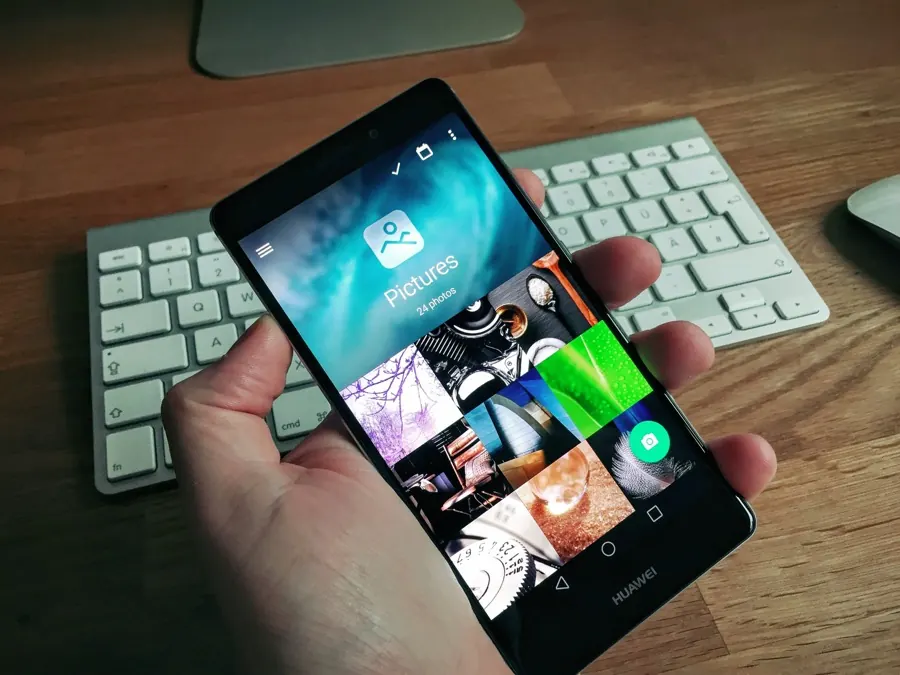
Caschys Blog
Piktures: diesem Bildbetrachter für Android solltet ihr eine Chance geben
2015 · German · Blog post
In diesem Praxistest vom September 2015 empfiehlt Carsten Knobloch von Caschys Blog das kostenlose Piktures als Alternative für alle, die nach dem Verkauf von QuickPic mit der App unzufrieden sind, und meint, dass viele die Einfachheit von Piktures mögen werden. Knobloch betont, dass es keine Cloud-Funktionen gibt und die App ausschließlich mit den auf dem Smartphone gespeicherten Fotos arbeitet. Der Beitrag geht die Album-Einstellungen durch: Wahl des Titelbilds (ein ausgewähltes Foto oder das neueste), optionaler Unschärfe-Effekt, Umbenennen, Sortierung, Anzahl der Vorschau-Spalten und Ausblenden eines Albums. Ein langer Druck startet eine Mehrfachauswahl zum Verschieben, Kopieren, Teilen mit optionaler Verkleinerung oder Löschen, und ein Menü bietet Filter nach Ort oder nach Fotos und Videos. Die Einzelansicht ergänzt Zuschneiden oder die Übergabe an einen anderen Editor, ein Favoriten-Album sowie ausführliche Fotodetails wie Ort, Zeit, Auflösung und Blende. In den Einstellungen finden sich eine Kamera-Schaltfläche, maximale Helligkeit, ein Parallax-Effekt für das Titelbild, den Knobloch wegen Übelkeit deaktiviert hat, sowie das Senden per Chromecast, damals noch im Alpha-Stadium. Knoblochs Fazit: Piktures sieht gut aus, ist einfach zu bedienen, fühlt sich angenehm an und eignet sich für alle, die ihre Fotos offline statt in der Cloud verwalten möchten.
English translation
In this September 2015 hands-on, Carsten Knobloch of Caschys Blog suggests the free Piktures as an alternative for users unhappy with QuickPic after its sale, and says many will like how simple it is. They stress that it has no cloud features and works only with photos stored on the phone. The author walks through the album settings: choosing a cover (a picked photo or the newest one), an optional blur, renaming, sort order, number of thumbnail columns and hiding an album. Long-pressing starts a multi-select mode for moving, copying, sharing with optional downsizing, or deleting, and a menu offers filters by location or by photos and videos. The single-photo view adds cropping or handing off to another editor, a favourites album, and full photo details such as place, time, resolution and aperture. Settings cover a camera button, maximum brightness, a parallax cover effect they turned off because of motion sickness, and Chromecast sending, then still in alpha. Knobloch concludes that Piktures looks good, is easy to use, feels pleasant, and suits people who want to manage their photos offline instead of in the cloud.