Albums
Sorting the list of albums
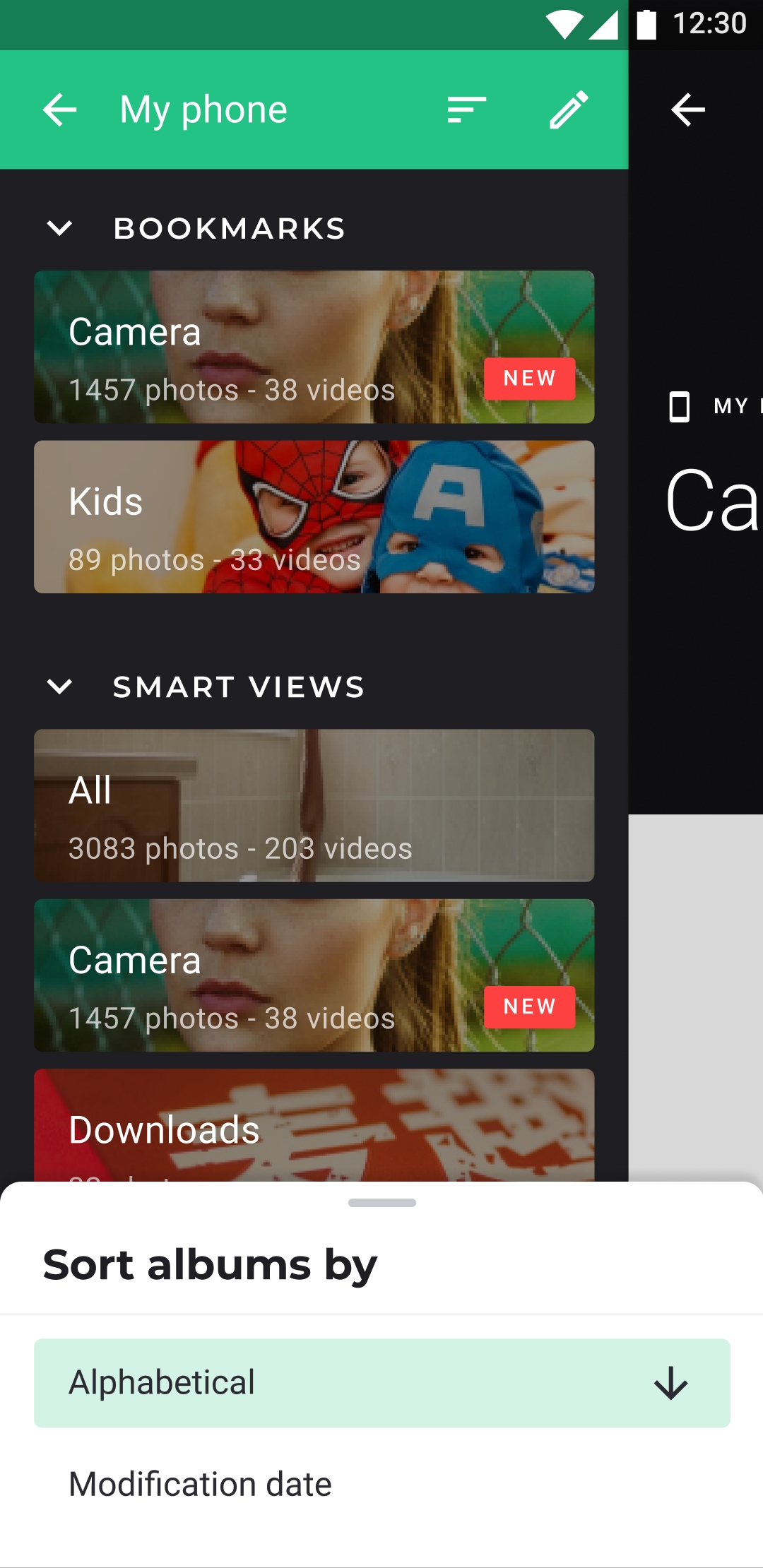
Each section of the Albums tab has its own sort order.
- In the Albums tab, tap the sort icon on the right of a section title.
- In Sort by, choose an order. Tap the selected order again to reverse it.
The options of each section
| Section | Alphabetical | Modification date | Manual |
|---|---|---|---|
| BOOKMARKS | yes | no | yes, by default |
| SMART ALBUMS | yes | no | yes, by default |
| Group | yes | no | yes, by default |
| ALBUMS or PHONE MEMORY | yes | yes | yes |
- Modification date follows the most recently changed photo or video of each album.
- Manual closes the list of options and lets you order the albums yourself: long-press an album and drag it, then tap ✕ when you're done.
- The SD CARD section, shown with Sub-folder view, has no sort icon.
The order of ALBUMS is kept for each storage: the phone and each cloud can have their own. The order of the other sections is the same everywhere.
To sort the photos inside an album, see Sorting items in an album.